NexAI iconZero-Custody AI · Local SQLite + AES-256 BYOK

NexAI Privacy, Data Safety & Terms Portal

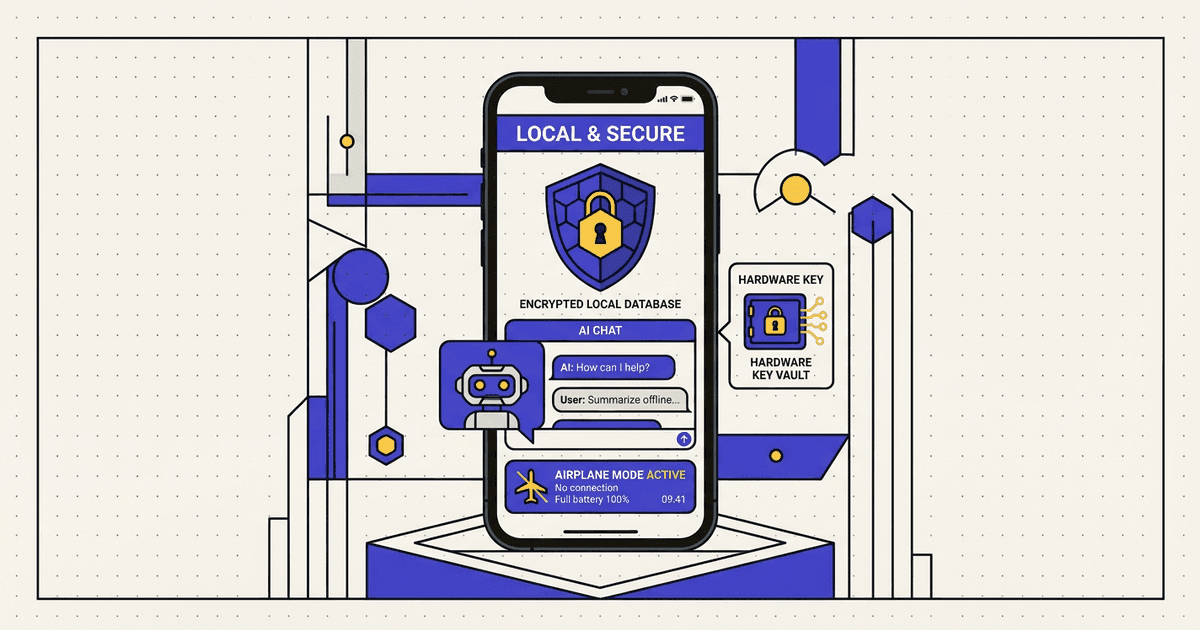
Your AI conversations belong strictly to you: zero mandatory accounts, on-device SQLite chat history, hardware-encrypted API keys, and optional 100% offline GGUF models.

Effective: 2026-06-01 · Updated: 2026-10-21
NexAI Data Safety & Privacy Architecture
01 · Chat Storage
100% Local SQLite

Zero Bengal Bytes chat servers

02 · API Key Security
AES-256-GCM

Android Hardware Keystore vault

03 · Offline Support
GGUF & ONNX

Works in full Airplane Mode

04 · Account Required
None (0 Sign-Ups)

1-tap local vault wipe anytime

Plain-Language User Guide · 30-Second Read

What every user should know immediately

Clear, human-friendly answers aligned directly with our verified Google Play Data Safety declaration.

Data Sold to Brokers
Never ($0 / Zero)
Network Security
HTTPS / TLS 1.3
Deletion Rights
Instant Self-Service
Human Privacy Desk
Reply < 24 Hours
All chat threads and system prompts live inside private SQLite storage on your Android phone — zero Bengal Bytes chat databases exist.
Personal API keys (OpenRouter, Gemini, Groq, DeepSeek) are encrypted inside Android Hardware Keystore (AES-256-GCM).
Offline GGUF/ONNX models work in full Airplane Mode with zero network bytes transmitted.
Interactive Data Flow Inspector

How data works inside NexAI

Direct Encrypted TLS 1.3 Inference with Zero Middleman Logging

Hardware AES-256-GCM

When using OpenRouter, Groq, Gemini, or DeepSeek in NexAI, your personal API keys sit encrypted inside Android Keystore AES-256-GCM storage and connect directly over HTTPS/TLS 1.3.

  • Bengal Bytes operates zero proxy database storing your prompts or chat history
  • Chat threads reside exclusively inside sandboxed local SQLite on your phone
  • Revoke or wipe keys instantaneously inside Settings → API Vault
§ 01 · PrivacyAll prompts, conversations & personas stay on your device

Zero-Custody Architecture & Local Data Storage

NexAI (package com.nexai.nexai), published by Bengal Bytes, is architected from the ground up as a local-first client. Unlike cloud-hosted chat platforms, Bengal Bytes does not require user registration and operates zero backend chat servers.

Every conversation thread, custom system persona, local document attachment, and preference setting is stored strictly inside your Android device's private application SQLite sandbox.

  • Zero mandatory email, phone number, or social login required.
  • Personal Bring-Your-Own-Key (BYOK) tokens are encrypted locally via Android Hardware Keystore (AES-256-GCM).
  • Voice input (when invoked by tapping the microphone icon) streams strictly while active and is never recorded in the background.
§ 02 · SecurityTransparent disclosure of network calls & UMP consent

Third-Party AI Endpoints, AdMob & Crash Diagnostics

When you choose a cloud AI provider (such as OpenRouter, Google Gemini, Groq, or DeepSeek), your prompt payload is transmitted directly over TLS 1.3 to that selected provider under their respective API data policy.

To sustain free development without mandatory subscriptions, NexAI displays standard banners/interstitials via Google AdMob (with Google UMP GDPR/EEA consent controls) and collects anonymous crash stack traces to fix stability issues.

Important: Never enter sensitive passwords, private cryptographic seeds, or confidential medical/financial records into third-party cloud LLM endpoints unless running a 100% offline local GGUF model.
§ 03 · DeletionWipe all conversations, keys & cached models in 1 tap

Instant Local & Data Deletion Controls (#delete-account)

Because NexAI creates no server-side account on Bengal Bytes infrastructure, you hold 100% immediate self-service deletion power directly on your phone:

  • Wipe All Chats & Keys In-App: Open NexAI → Settings → Privacy & Storage → Clear All Chats & API Vault.
  • Android System Wipe: Go to Android Settings → Apps → NexAI → Storage → Clear Storage, or uninstall the app to permanently destroy the encrypted SQLite database and Keystore entries.
  • Ad ID Reset & Support Inquiries: Reset your Google Advertising ID anytime in Android Privacy Settings, or contact [email protected] for human assistance within 24 hours.
§ 04 · TermsAcceptable use, synthetic accuracy disclaimer & licensing

Terms of Service & Responsible AI Usage (#terms)

By installing or using NexAI, you agree not to attempt to bypass safety filters or use third-party or local models to generate unlawful, abusive, deceptive, or harmful material. NexAI is rated 13+.

Large Language Models generate probabilistic text and code that may contain factual inaccuracies ('hallucinations'). Always independently verify code, legal, financial, or medical information before acting on it.

Google Play User Data Deletion Standard

Web Self-Service Account & Data Deletion

Fulfilled < 72 Hours

NexAI (com.nexai.nexai) — Uninstalled the app? Submit your account email below to request permanent erasure of associated records directly from your browser.

Questions about your privacy or data safety?

Reach our privacy engineering team directly — human response within 24 hours. [email protected]